
300+ curated questions across six real datasets
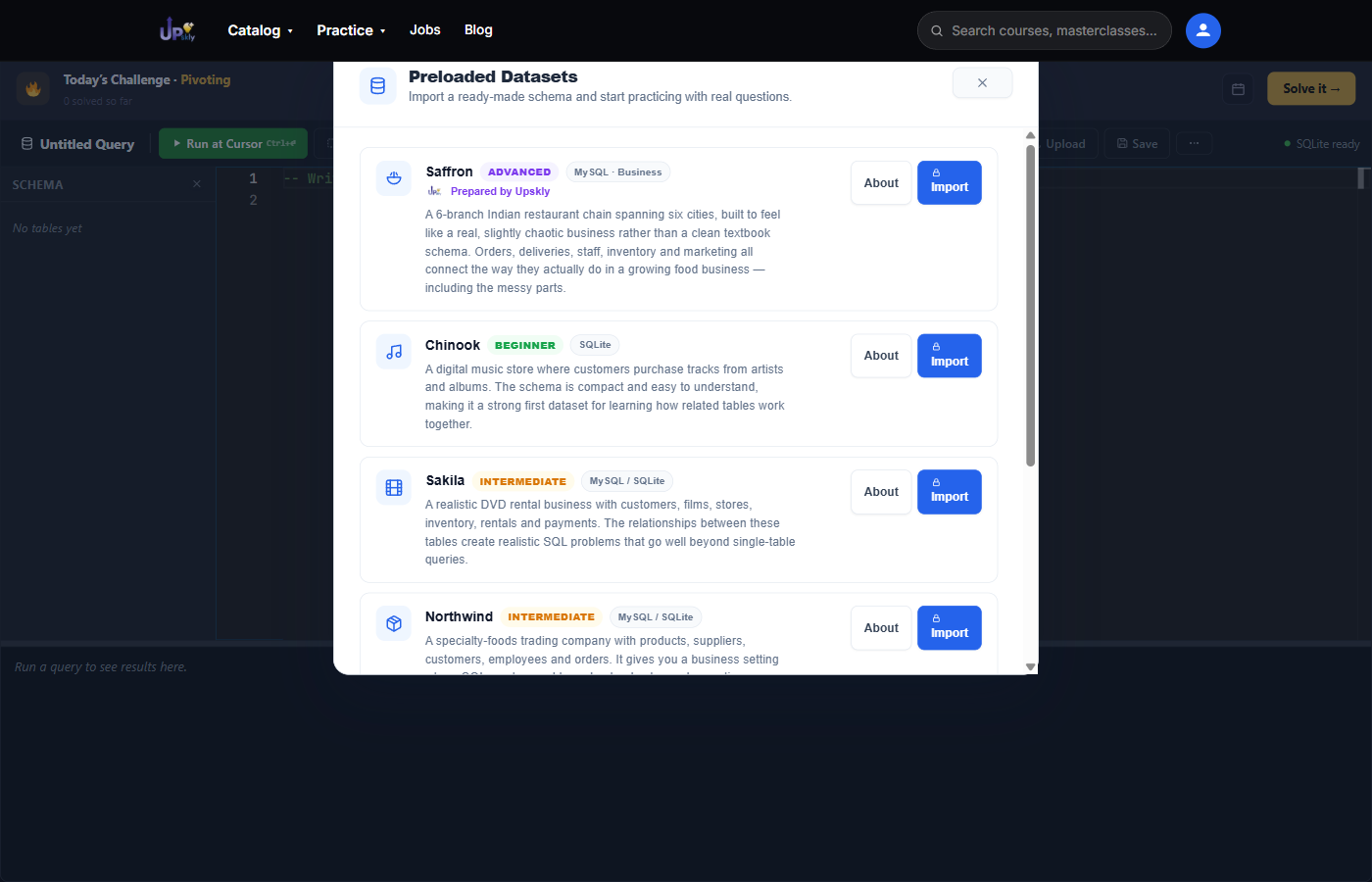
Rather than a single toy table, the SQL editor's Import preload dataset panel offers six full schemas to import and query, ranging from beginner to advanced. Each one comes with its own set of 50 curated questions, grouped into 5 practice areas – 300 questions in total, built for step-by-step SQL practice, not just a “look at this data” demo:
- Saffron (Advanced) – MySQL · Business – a 6-branch Indian restaurant chain, prepared by Upskly – the hardest of the six
- Chinook (Beginner) – SQLite – a digital music store – a compact first dataset
- Sakila (Intermediate) – MySQL / SQLite – a DVD rental business with realistic multi-table joins
- Northwind (Intermediate) – MySQL / SQLite – a specialty-foods trading company
- MySQL 'Employees' (Advanced) – MySQL – HR data with salary history over time
- World Database (Beginner) – MySQL – countries, cities and languages
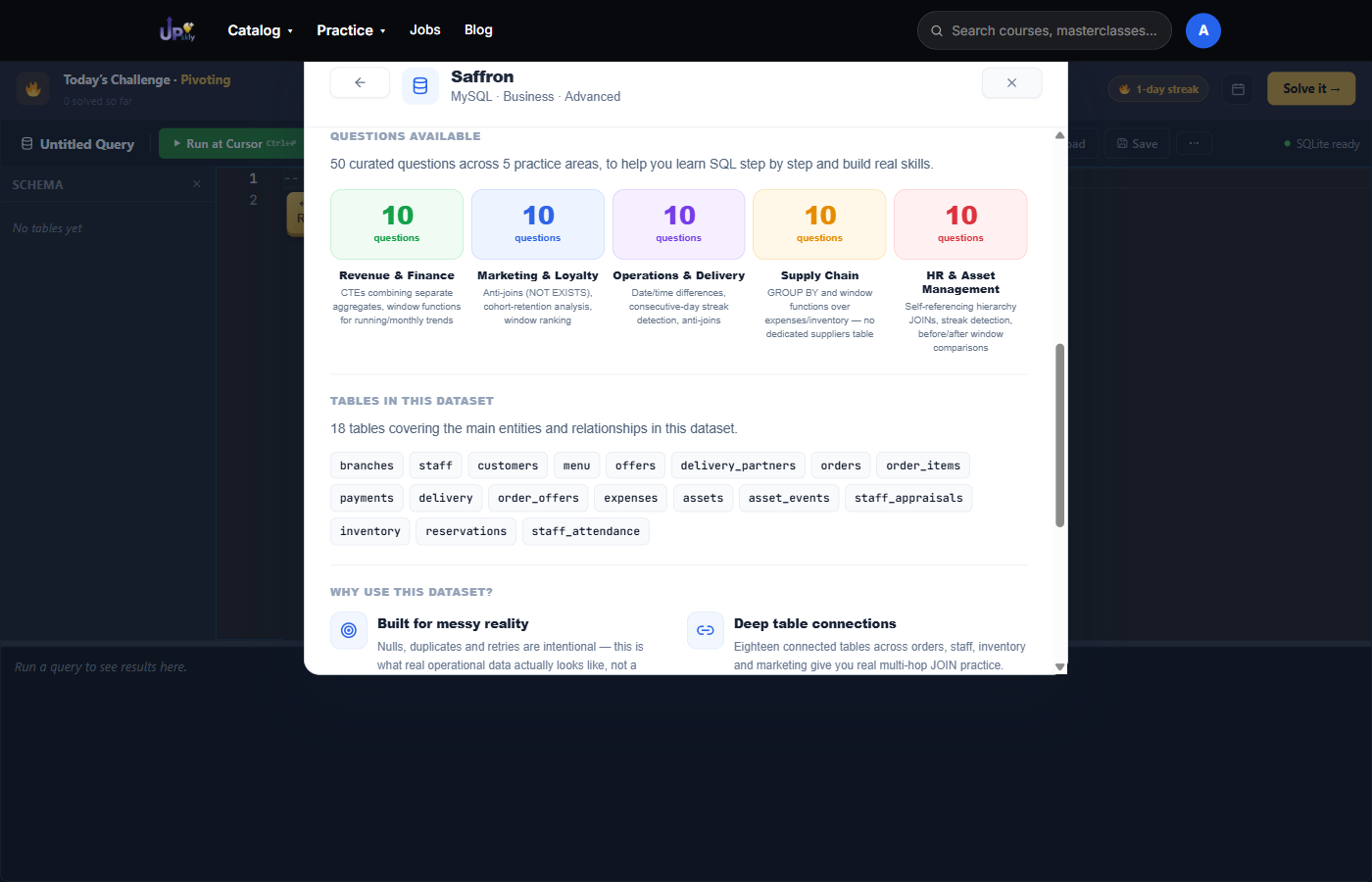
What 50 questions on one dataset actually looks like
Saffron, the most advanced of the six, breaks its 50 questions into five practice areas – Revenue & Finance, Marketing & Loyalty, Operations & Delivery, Supply Chain, and HR & Asset Management – 10 questions each, written at genuine interview difficulty across 18 connected tables and roughly 44,800 rows of intentionally messy, realistic data.
A daily challenge too, right above the editor
On top of the datasets, the SQL editor opens with a Today’s Challenge banner – a new problem each day, with a streak counter and a link straight into it. Past challenges stay solvable too, for practice that doesn't count toward the streak.
Open the SQL compiler and start practicing →